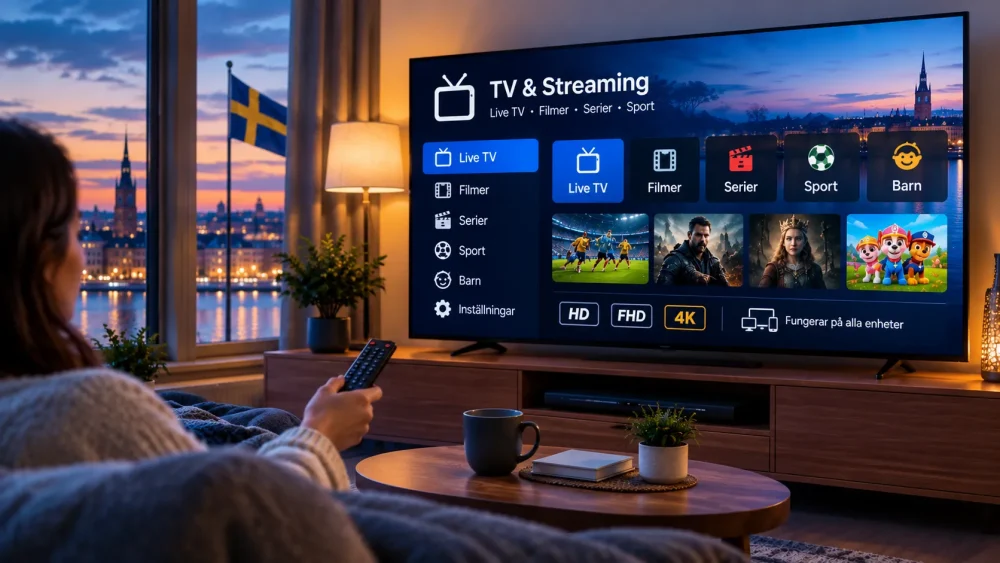
Streaming television in ultra-high definition has become the new standard for many households across Sweden, Norway, Denmark, and Finland. In 2026, more Nordic viewers are turning to IPTV for access to live channels, sports, movies, and series in sharp 4K quality. The crystal-clear picture, vibrant colors, and immersive detail make 4K a major upgrade from traditional HD. However, achieving smooth, buffer-free 4K IPTV requires the right setup and a few smart practices.
This complete guide covers everything Nordic users need to know: technical requirements, practical tips, and proven best practices for reliable 4K streaming in 2026.
What Makes 4K IPTV Different?
4K, also known as Ultra HD or 2160p, delivers four times the resolution of Full HD. The higher pixel density creates sharper images, better contrast, and more realistic colors—especially noticeable on larger screens. IPTV delivers this content over your internet connection rather than through traditional cable or satellite signals.
For Nordic users, 4K IPTV means enjoying local and international content with exceptional clarity, whether watching live sports, evening news, or on-demand films. The experience feels closer to the cinema, but only when your network and devices can handle the higher data demands.
Essential Requirements for Smooth 4K IPTV
1. Internet Speed
A stable and sufficiently fast internet connection is the foundation of good 4K streaming.
- Minimum recommended download speed: 25 Mbps for a single 4K stream
- Comfortable recommended speed: 40–50 Mbps per 4K stream
- Multi-device households: 100 Mbps or higher is strongly advised
These figures assume a relatively clean connection. In real Nordic homes, where multiple devices often share the network (phones, computers, smart home gadgets), aiming higher provides a safety margin. Upload speed matters less for viewing but should ideally stay above 5–10 Mbps for overall stability.
Test your speed at different times of day, especially during peak evening hours when many people stream. Consistent speeds matter more than occasional high peaks.
2. Wired vs Wireless Connection
Wi-Fi works, but a wired Ethernet connection is significantly more reliable for 4K. Wireless signals can fluctuate due to distance, walls, interference from other networks, or household devices. Ethernet delivers lower latency and more consistent bandwidth.
If wiring is difficult, use a high-quality mesh system or powerline adapters as a middle ground. Prefer the 5 GHz (or 6 GHz where available) band over 2.4 GHz for better performance when staying wireless.
3. Compatible Devices
Your playback device must support 4K decoding and the relevant video codecs (commonly H.265/HEVC for efficient 4K delivery). Modern Smart TVs, streaming sticks, Android-based boxes, and many media players handle 4K well when they meet current specifications.
Ensure the device has enough processing power and updated software. Older hardware may struggle with high-bitrate 4K streams even if the screen itself is 4K-capable.
4. Display and HDMI Setup
Use an HDMI cable that supports 4K (HDMI 2.0 or higher is standard). Enable 4K output and any HDR options in your TV or device settings if available. Match the refresh rate and color settings for the best picture.
5. Router Quality and Network Configuration
An outdated or overloaded router can bottleneck even a fast internet plan. Look for a modern dual-band or tri-band router with Quality of Service (QoS) features. QoS lets you prioritize streaming traffic so video packets take precedence over background downloads or other activity.
Best Practices and Optimization Tips for 2026
Prioritize a Stable Connection
Restart your router and modem periodically. Place the router in a central, elevated location away from thick walls and interference sources. Keep firmware updated.
Optimize Device Settings
In your IPTV player, select appropriate buffer sizes and enable hardware acceleration when available. Hardware decoding reduces the load on the device’s processor and helps prevent stuttering. Avoid forcing unnecessarily high bitrates if your connection is borderline.
Manage Network Traffic
Limit simultaneous high-bandwidth activities while streaming 4K. Schedule large downloads or updates for times when no one is watching. Close unused apps and background processes on connected devices.
Use Ethernet Whenever Possible
This single change often eliminates the majority of buffering issues for 4K streams.
Monitor and Test Regularly
Run speed tests near the streaming device. Note any drops during busy hours. If speeds consistently fall short, contact your internet provider about upgrades or investigate local network issues.
Keep Software Updated
Update the IPTV application, device firmware, and TV software. Updates frequently improve codec support, stability, and performance with higher resolutions.
Consider Household Load
In multi-person homes, calculate total demand. Two simultaneous 4K streams plus normal browsing can easily require 80–100 Mbps or more of available bandwidth. Plan your subscription and internet package accordingly.
Common Challenges and How to Solve Them
Buffering or Freezing
Usually caused by insufficient or unstable bandwidth, Wi-Fi interference, or overloaded devices. Switch to Ethernet, reduce other network activity, lower the stream quality temporarily, or restart equipment.
Pixelation or Quality Drops
This often signals that the connection cannot sustain the required bitrate. Check speeds, close background apps, and ensure no one else is saturating the network.
Audio-Video Sync Issues
Update the player app and device software. Adjust buffer settings if available. Hardware acceleration can also help maintain sync.
Inconsistent Performance Across Devices
Some devices handle 4K more efficiently than others. Test different players or hardware if problems persist on one screen only.
Extra Tips for Nordic Conditions
Nordic internet infrastructure is generally strong, but rural or older apartment buildings can still experience variable performance. Fiber connections typically provide the most consistent results for 4K. In multi-dwelling units, shared building networks sometimes introduce extra variables—wired connections help mitigate this.
Cold weather and seasonal changes rarely affect indoor streaming, but power fluctuations or heavy simultaneous usage during holidays and major sports events can temporarily strain networks. Having a small buffer of extra bandwidth prepares you for those peaks.
Getting the Most Out of 4K IPTV in 2026
4K IPTV delivers an outstanding viewing experience when the foundation is solid. Focus first on a reliable internet connection of at least 40–50 Mbps per stream, prefer wired connections, use compatible and updated devices, and apply basic network prioritization. These steps resolve the majority of performance issues.
Once your setup is optimized, you can fully enjoy sharp live channels, sports, movies, and series without interruptions. Nordic households that invest a little time in proper configuration typically enjoy smooth, high-quality streaming day after day.
Ready to experience reliable 4K streaming tailored for Sweden and the wider Nordic region? A well-prepared connection combined with a quality IPTV service makes all the difference. Start with the requirements above, apply the tips, and enjoy cinema-like quality from the comfort of your home in 2026.